
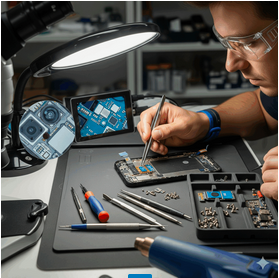
A non-working phone camera can be a major frustration. As a team of certified and trusted technicians at Cellular Zone, we’ve diagnosed thousands of devices and are here to help you get your camera working again. This ultimate guide is your definitive resource to understanding, troubleshooting, and ultimately fixing your non-working camera, whether you have an iPhone, a Samsung, a Pixel, or any other smartphone.
The Anatomy of a Smartphone Camera Failure
Before diving into solutions, it’s critical to understand why your camera isn’t working. Camera issues can be divided into two primary categories: software-related and hardware-related.
The Software Side: The Hidden Bugs
Software issues are the most common and, thankfully, often the easiest to fix. These problems occur within your phone’s operating system (OS) or the specific camera application.
The Hardware Side: Physical Damage and Internal Failures
Hardware problems are physical defects with the camera module itself. These issues are almost always irreversible through software fixes and require a professional repair. They are frequently the result of an accidental drop, water exposure, or long-term wear and tear.
Comprehensive Software Troubleshooting
This section is dedicated to all the DIY solutions you can safely attempt at home. Remember, backing up your data is always a good idea before performing any major troubleshooting.
Basic Troubleshooting: The First Steps
These are the quickest fixes that solve a majority of software issues.
Force Quit the Camera App Sometimes, an app just needs a fresh start.
Restart Your Phone The classic, tried-and-true method for fixing glitches.
Check App Permissions The camera app needs permission to access the camera hardware.
Advanced Software Troubleshooting
If the basic steps didn’t work, it’s time to dig a little deeper.
Clear the Camera App’s Cache and Data Corrupted cache files can cause all sorts of problems.
Free Up Storage Space A full storage drive can prevent your camera from working correctly, as it needs space to save photos and videos.
Check for System and App Updates Software bugs are often fixed in new updates.
Test in Safe Mode (Android Only) Safe Mode is a great way to check if an app you recently installed is causing the problem.
The Nuclear Option: Factory Reset A factory reset will solve virtually any software problem. Warning: This will erase all your photos, apps, and data. Back up your phone first!
The Intricacies of Hardware Failure: When DIY Isn’t an Option
If you’ve gone through all the software troubleshooting steps and your camera is still not working, it is almost certainly a hardware issue. These problems are physical and cannot be fixed with software.
Common Hardware Problems Explained
The Damaged Camera Module The camera module is a delicate piece of technology. A drop can disconnect a small internal ribbon cable, or a component on the module’s circuit board can break.
The Scratched or Cracked Lens If you see a blurry spot or a crack in all your photos, the camera lens cover is likely damaged.
Internal Water Damage Water is the archenemy of electronics. Bring it to an expert immediately for proper diagnosis and repair.
The Motherboard Connection Sometimes, the problem isn’t the camera module itself but the connection to the main logic board. This is the most complex type of repair.
Malfunctioning Autofocus or OIS Modern phone cameras rely on autofocus motors and optical image stabilization (OIS) to produce crisp photos.
Device-Specific Troubleshooting
Different phone brands have unique quirks.
iPhone Camera Issues
If your iPhone camera isn’t working, the problem is often either a simple software glitch or a clear hardware failure.
Samsung Galaxy Camera Issues
Many users report the “Camera Failed” error on Samsung Galaxy devices. This can be caused by a software glitch, a third-party app conflict, or a faulty camera driver.
Google Pixel Camera Issues
Pixel phones rely heavily on Google’s software algorithms. A camera issue on a Pixel can often be a software bug that mimics a hardware problem.
The Professional Repair Process at Cellular Zone
If you’ve identified a hardware issue or exhausted all software fixes, it’s time to bring your device to a professional. Here at Cellular Zone, we follow a meticulous, multi-step process.
The Free Diagnostic Check
When you bring your device in, our certified technician will perform a free, comprehensive diagnostic check.
Transparent Pricing & Quote
After the diagnosis, we will provide you with a transparent quote. You can get an immediate estimate for a wide range of repairs using our Instant Quote Tool online.
The Expert Repair
Once you approve the quote, our technician will begin the repair. We use state-of-the-art tools and equipment to replace the camera module, fix a faulty connection, or replace a damaged lens cover with precision and care.
Quality Assurance and Warranty
We back up our work with a 180-day warranty on parts and labor.
Preventing Future Camera Issues: A Guide to Maintenance
A little bit of prevention can save you from a major repair bill.
Use a Protective Case with a Raised Camera Lip The simplest and most effective way to protect your camera lens is to use a phone case with a raised bezel or lip.
Keep Your Lenses Clean The camera lens can easily get smudged with fingerprints, dust, or lint.
Avoid Extreme Temperatures Extreme heat or cold can be damaging to your phone’s internal components.
Be Mindful of Water and Moisture Even phones with a high IP waterproof rating can fail. If your phone gets wet, bring it to an expert immediately.
In-Depth Look at Common Camera Failures (Detailed Breakdown)
This section provides a highly detailed, expert-level breakdown of specific camera problems.
The “Black Viewfinder” Problem
The black viewfinder is one of the most frustrating camera issues.
Blurry or Unfocused Images
When your camera refuses to focus, it can feel like the end of the world for a photographer.
Flash Issues
A non-working flash can be a minor inconvenience or a major problem.
A Deeper Dive into the Professional Repair Process
Our commitment to quality goes beyond a simple repair. We’ve invested in the best tools and training to handle every type of camera issue.
The Tools of the Trade
Our technicians use a wide range of specialized tools to ensure every repair is performed with the utmost precision.
The Meticulous Repair Procedure
Our repair procedure is a meticulous, step-by-step process.
Why Professional Repair is the Best Choice
Attempting a DIY repair on a complex device like a modern smartphone can be a costly mistake.
A Call to Action & Conclusion
If your phone’s camera is not working, don’t settle for a blurry life. Your phone is a window to the world, and we want to ensure that window is crystal clear. Whether you’ve tried all the DIY fixes or know it’s a hardware issue, our team at Cellular Zone is here to help. We are dedicated to providing fast, affordable, and warranted repairs that you can trust.
Visit Our Locations in San Antonio
FAQs
Q1: Will I lose my data during a camera repair?
A: For most camera repairs, we do not access or wipe your data.
Q2: How much does a camera repair cost?
A: The cost varies depending on your device model and the specific issue. You can get an instant estimate by using our Instant Quote tool.
Q3: Can I get my camera repaired if it has water damage?
A: Yes, we specialize in water damage repair.
Q4: How long does a typical camera repair take?
A: Most hardware repairs are completed on the same day.
Disclaimer: This content is for informational and educational purposes only. The advice provided herein is not a substitute for professional diagnosis or repair. Attempting to repair your device at home can lead to further damage and may void any existing warranties. Always consult with a certified repair professional for complex hardware issues.


