
Written by: Steve Garza
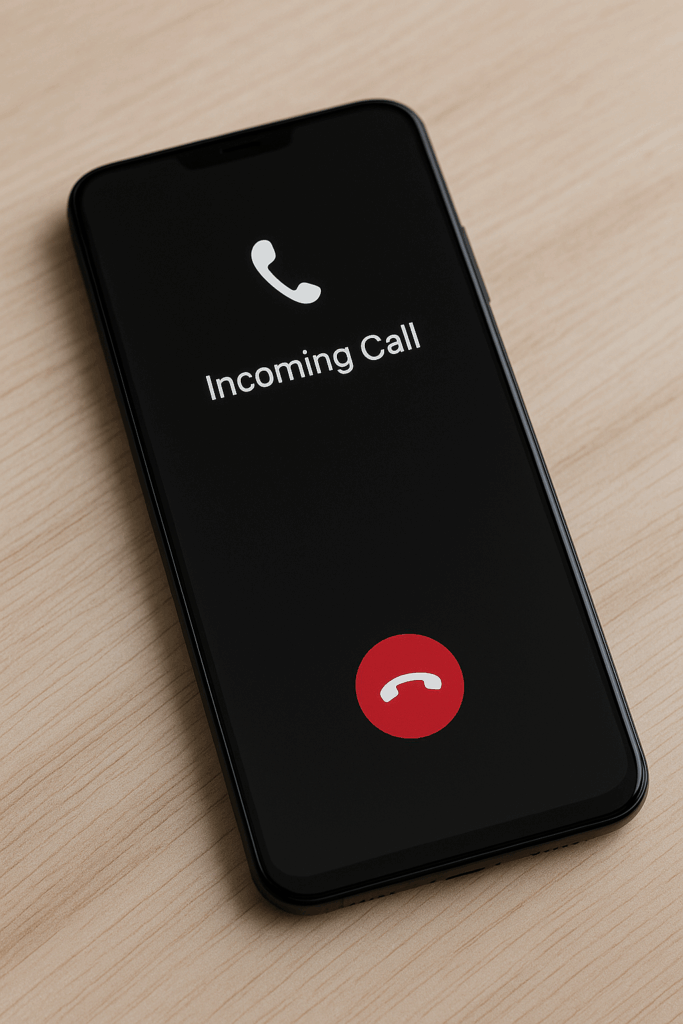
You reach for your phone as it rings—but instead of the caller ID, you see nothing but a pitch-black screen. It doesn’t light up, doesn’t respond, and you’re left wondering whether it’s broken.
This frustrating issue often points to one small yet vital part of your phone: the proximity sensor. Understanding how it works and why it fails can save you time, money, and unnecessary stress.
At Cellular Zone SA, our technicians handle proximity sensor and screen-related issues every day. Here’s a deep look into why this problem happens, how to fix it, and when professional help becomes necessary.
1. Understanding the Proximity Sensor
The proximity sensor is a tiny component placed near your phone’s front camera or top bezel. Its job is simple but crucial—it detects how close an object (usually your face) is during calls and automatically turns off the display to prevent accidental touches.
How It Works
When you bring the phone to your ear, the sensor detects reduced light reflection and instructs the display to turn off. Once you move the phone away, the screen should light back up instantly.
But when this mechanism malfunctions, your phone can remain dark even when you move it away, leaving you unable to hang up or access call options.
Why It Matters
Besides convenience, the proximity sensor helps conserve battery and prevents your cheek from pressing random buttons mid-call. Without it, both usability and performance suffer.
2. Common Causes of a Blank Screen During Calls
2.1 Calibration Issues
Over time, software glitches or sensor mis-calibration can cause inaccurate readings. This happens especially after system updates or if your phone has been dropped.
A simple sensor recalibration through settings or service mode can often fix the issue—but it’s different for every phone brand.
2.2 Dirt and Obstructions
Dust, oils, or tempered-glass protectors can block the proximity sensor. Even a small bubble or smudge can confuse it into thinking your ear is still near the phone.
Regularly cleaning your screen with a microfiber cloth or replacing misaligned screen protectors helps maintain accuracy.
2.3 Faulty Hardware
If your phone’s display or sensor suffered physical damage, the blank-screen problem can persist despite cleaning or calibration. Hardware-level damage usually requires diagnostic testing by certified technicians—something we specialize in at Cellular Zone SA.
2.4 Software Bugs or Outdated Firmware
Software updates sometimes reset sensor configurations. When that happens, your phone may ignore sensor signals entirely.
Updating to the latest operating-system version or resetting the sensor cache usually restores normal function.
2.5 Low-Quality Replacement Screens
After a third-party screen replacement, the proximity sensor can misalign or get covered unintentionally. At Cellular Zone SA, we use manufacturer-grade parts to ensure full compatibility and calibration with the phone’s sensors.
3. Troubleshooting Steps Before Repair
If your phone’s screen still goes blank during calls, try these safe, step-by-step fixes before booking a repair.
3.1 Restart and Test
A quick reboot clears temporary glitches. After restarting, make a test call and cover the top of your phone with your hand—if the screen turns off and on again properly, your sensor works fine.
3.2 Check Screen Protector or Case
Remove any screen protector that overlaps the top edge of your display. Many protectors extend too far and block the sensor window.
3.3 Update Your Software
Go to Settings → System → Software Update. Outdated firmware can misread sensor input or disable it altogether.
Updating regularly also boosts overall device performance and fixes known bugs.
3.4 Recalibrate the Sensor
Some Android phones include a built-in diagnostics tool.
- Dial #0# → select Sensor Test → follow on-screen instructions.
- On iPhones, resetting all settings (not data) can sometimes realign sensor readings.
If recalibration doesn’t help, it may be time for professional inspection at Cellular Zone SA.
3.5 Safe Mode Check
Boot your phone in safe mode to rule out third-party apps. If the blank-screen problem disappears, uninstall recently added apps that may interfere with system sensors.
4. Professional Repair Solutions at Cellular Zone SA
When DIY methods don’t work, expert assistance ensures accurate diagnosis and repair.
Our certified team handles all proximity sensor-related problems—from cleaning and alignment to full sensor or display replacements.
4.1 Free Diagnostics
We begin with a free assessment to identify whether your blank-screen issue is hardware or software related. You can easily book an appointment online.
4.2 Proximity Sensor Replacement
If the sensor is physically damaged, it’s replaced with genuine components compatible with your phone’s model. Each repair includes post-service calibration for perfect sensor behavior.
4.3 Screen Replacement with Sensor Re-Integration
During screen replacement, we carefully re-seat the proximity sensor to ensure proper alignment. Many repair shops overlook this, but we treat it as a standard quality check.
4.4 Full Software Diagnostics
Sometimes, blank-screen issues stem from deeper firmware conflicts. Our technicians use advanced software tools to detect and patch any corrupted drivers or system bugs.
4.5 Lifetime Repair Assurance
All major repairs include our Cellular Zone SA Quality Assurance, ensuring that your phone stays reliable long after service. Visit the About Us page to learn more about our expertise and commitment to customer satisfaction.
5. Preventing Future Proximity Sensor Issues
- Use high-quality screen protectors with precise sensor cutouts.
- Clean your display regularly with a lint-free cloth.
- Avoid installing unverified apps that modify call behavior.
- Handle your device carefully—drops can misalign delicate components.
- Get your phone serviced periodically at Cellular Zone SA to detect hidden hardware faults early.
Following these habits keeps your sensor functioning smoothly and prevents recurring black-screen moments.
6. Signs You Need Immediate Professional Help
- The screen stays black even after the call ends.
- Restarting doesn’t fix the issue.
- The phone heats up unusually during calls.
- You recently replaced the screen or battery, and the problem started afterward.
If you notice any of these, it’s time to book a repair or visit your nearest Cellular Zone SA location.
7. Blank Screen Problems in Different Phone Brands
iPhone
iPhones rarely face proximity sensor issues, but misaligned screen replacements or heavy-duty protectors can trigger black-screen behavior.
Samsung
Software updates can occasionally disable sensor access. Performing a sensor test via #0# helps confirm proper functionality.
Xiaomi & Oppo
Budget phones sometimes have less accurate sensor calibration; periodic cleaning and firmware updates are essential.
Google Pixel
Pixels rely heavily on software integration, so ensuring your device runs the latest Android version minimizes such issues.
8. How Our Technicians Fix It Step-by-Step
- Run diagnostics to test proximity response.
- Inspect for dust, cracks, or misplaced screens.
- Disassemble and realign the sensor module.
- Update software and recalibrate sensitivity.
- Perform full device quality assurance before returning it to you.
Our repair process is transparent, efficient, and backed by our guarantee at Cellular Zone SA.
9. Conclusion and Final Thoughts
A blank screen during calls can be annoying, but it’s usually not a sign of total device failure. In most cases, it’s your proximity sensor asking for attention.
A quick cleaning, calibration, or professional repair can restore normal functionality in minutes.
To keep your phone in perfect shape, sell your old device or upgrade through our Buy a Device section. And whenever you notice display irregularities, don’t ignore them—book a free inspection today.
FAQs
Q1: Why does my phone screen stay black after I hang up?
It’s usually because the proximity sensor didn’t detect your phone moving away from your face. Cleaning the sensor area often fixes it.
Q2: Can I use my phone if the proximity sensor is broken?
Yes, but you’ll lose automatic screen shut-off during calls, which may cause accidental touches.
Q3: How much does proximity sensor repair cost?
Costs vary by model. For accurate pricing, visit our Book Appointment page.
Q4: Will replacing the screen fix my proximity sensor?
If the old screen blocked or misaligned the sensor, then yes—professional screen replacement restores its function.
Q5: How do I test if my proximity sensor works?
Make a call, then cover the top of your phone with your hand. If the screen turns off and on correctly, it’s working fine.
Disclaimer
This content is for informational purposes only. While the troubleshooting tips are safe to perform, deeper repairs should be handled by trained technicians. Always visit Cellular Zone SA or schedule a professional inspection if your device shows persistent issues.


