
Written by: Steve Garza
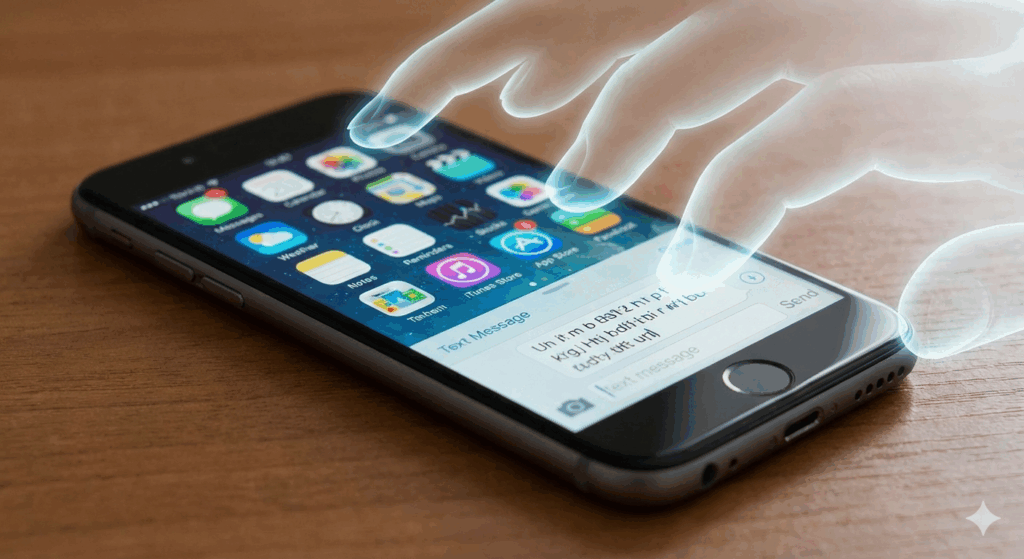
It starts like a scene from a horror movie. You set your phone down on the table, and suddenly, apps start opening. The keyboard begins typing a message to your boss that is pure gibberish. The screen scrolls frantically up and down. You aren’t touching the device, but it is reacting as if invisible fingers are dancing across the glass.
This phenomenon is known in the tech industry as “Ghost Touch.”
While it might feel like your device is possessed, the reality is usually a conflict between the hardware (the digitizer) and the software (the operating system). It is one of the most annoying issues a smartphone user can face because it robs you of control. You can’t make calls, you can’t type passwords, and in severe cases, the phone might even lock you out by entering the wrong passcode repeatedly.
At Cellular Zone SA, we diagnose screen issues daily. From iPhones with “Touch Disease” to Androids with shattered digitizers, we understand the complex engineering behind your touchscreen. In this ultimate guide, we will break down exactly why your phone is acting up, how to perform safe DIY troubleshooting, and how to know when a professional repair is the only solution.
Section 1: The Science of the Touchscreen (Why This Happens)
To understand Ghost Touch, you need to understand how modern smartphone screens work. We aren’t using the pressure-sensitive (resistive) screens of the early 2000s anymore. Modern phones use Capacitive Touchscreens.
How Capacitive Screens Work
Your screen isn’t just a piece of glass. It is a sandwich of components:
- The LCD/OLED Layer: This displays the image.
- The Digitizer: This is a transparent layer of electrodes that sits between the glass and the display.
- The Glass: The protective top layer.
The digitizer carries a small electrical charge. Since the human body is conductive, when your finger touches the glass, you interrupt that electrical field. The phone’s processor calculates the exact coordinates of that interruption to determine where you tapped.
The “Ghost” in the Machine
Ghost Touch occurs when the digitizer detects an interruption in the electrical field without your finger being there. The processor receives a signal saying, “Someone is touching coordinate X,Y,” so it executes the command.
This false signal can be caused by:
- Static Electricity: External charges mimicking a finger.
- Physical Debris: Dirt or moisture bridging the electrical contacts.
- Hardware Damage: A crack in the digitizer layer sending erratic signals.
- Voltage Irregularities: Unstable power from a bad charger.
Section 2: Environmental Factors (The Easy Fixes)
Before you panic and assume your motherboard is fried, we need to look at the environment. About 40% of the “Ghost Touch” cases brought to our locations are caused by accessories or grime rather than internal damage.
1. The “Bad Charger” Phenomenon
Have you noticed that the ghost touch only happens when your phone is plugged in? This is extremely common. Cheap, third-party charging cables and bricks often lack proper insulation and voltage regulation. This can introduce “noise” or static interference into the device. Since capacitive screens rely on precise electrical fields, this electrical noise confuses the digitizer, causing it to register taps that aren’t happening.
- The Test: Unplug your phone. Does the glitching stop immediately? If yes, throw that charger away and buy a high-quality, certified cable.
2. The Screen Protector Trap
Tempered glass screen protectors are great for preventing cracks, but if they are installed incorrectly, they can cause havoc.
- Trapped Moisture/Dust: If a tiny bubble of air or a speck of dust gets trapped between the protector and the original glass, it can create a pressure point. The phone interprets this constant pressure as a “long press.”
- The Fix: Carefully remove your screen protector. Clean the screen thoroughly with a microfiber cloth. If the ghost touch stops, the protector was the issue.
3. Cleanliness is Key
Oil from your fingers, makeup, sweat, or even a small drop of water can conduct electricity. If there is a smear of conductive residue on your screen, the phone might think your finger is resting there.
- The Fix: Turn the screen off (so you can see the dirt) and wipe it down with a specialized electronics cleaner or a damp cloth.
Section 3: Software Troubleshooting
If you have stripped the phone of its case and screen protector and cleaned it thoroughly, but it is still typing on its own, we need to look at the software. Sometimes, the software drivers that interpret touch data can become corrupted.
1. The Force Restart (Hard Reset)
This is different from just turning it off and on. A hard reset cuts power from the battery to the logic board momentarily, forcing all hardware drivers (including the touch driver) to reload fresh.
- For iPhone: Quickly press Volume Up, then Volume Down, then hold the Power button until the Apple logo appears.
- For Android: Usually, hold Power and Volume Down simultaneously for 10-15 seconds.
2. Update Your Operating System
Manufacturers often release “patches” for known screen issues. For example, Apple has released specific iOS updates in the past to address touch responsiveness on certain models.
- Check your settings to ensure you are running the latest version of iOS or Android.
3. The Factory Reset (The Nuclear Option)
If a rogue app or deep system corruption is causing the issue, a Factory Reset will wipe the phone clean and restore it to its out-of-the-box state.
- Warning: This deletes all your data. Back up your photos and contacts before doing this.
- If the phone still has ghost touch after a factory reset, you have 100% confirmed it is a hardware failure.
Section 4: Hardware Failure (When to Call a Pro)
If software resets didn’t work, the issue lies within the physical components of the phone. This is where professional diagnostics at Cellular Zone SA become necessary.
1. The Cracked Digitizer
You might look at your phone and say, “But the glass isn’t broken!” It is possible to shatter the digitizer (the touch sensor layer) without shattering the top glass. A heavy drop can cause a hairline fracture in the sensor layer invisible to the naked eye. This fracture creates a “dead zone” or a “hot zone” where signals go haywire.
2. Water Damage Corrosion
If your phone has ever taken a dip in the pool or a toilet, even if it seemed fine afterwards, corrosion can grow over time. If corrosion builds up on the connectors where the screen plugs into the motherboard, it can cause short circuits that mimic touch inputs.
3. “Touch Disease” and Board Flexing
Some devices are prone to twisting or bending if kept in a back pocket. This slight bending can pop the Touch IC (Integrated Circuit) chip off the logic board. This was famous in the iPhone 6 Plus era but can happen to any large, thin phone. When the chip disconnects, the phone loses its ability to process touch correctly.
4. Poor Quality Previous Repairs
Did you get your screen fixed recently at a mall kiosk or a budget shop? Not all screens are created equal. “Aftermarket” screens often use cheap digitizers that are poorly calibrated. They are notorious for developing ghost touch issues a few weeks after installation. At Cellular Zone SA, we use premium quality parts to ensure your screen responds exactly how the manufacturer intended. You can read more about our commitment to quality on our about us page.
Section 5: Solutions – Repair, Replace, or Sell?
Once you have confirmed it is a hardware issue, you have a decision to make.
Option 1: Screen Replacement
In 90% of cases, replacing the entire screen assembly (Glass + Digitizer + LCD) fixes ghost touch completely. This is a standard repair for our technicians. We open the device, disconnect the faulty assembly, and install a premium replacement. This is usually much cheaper than buying a new phone.
Option 2: Upgrade Your Device
If your phone is 4+ years old and has ghost touch plus a bad battery plus a broken camera, the cost of repairs might outweigh the value of the phone. In this case, we recommend browsing our inventory to buy a device. We stock certified pre-owned phones that have been rigorously tested to ensure no ghost touch issues exist.
Option 3: Trade It In
Don’t throw the glitchy phone in a drawer! Even with a screen issue, the internal components (battery, camera, housing) still have value. You can sell your mobile device to us. We offer fair market value for devices in various conditions, giving you cash to put toward your next phone.
Section 6: Conclusion
Ghost Touch is one of the most intrusive problems a smartphone user can face. It invades your privacy, disrupts your work, and makes using your device impossible.
While simple fixes like changing your charging cable or cleaning the screen can sometimes solve the mystery, the reality is that ghost touch is often a symptom of internal trauma to the device. Whether it was that drop three months ago or a splash of water, the hardware is crying out for help.
Don’t let a possessed phone ruin your day. If the DIY tips in this guide didn’t stop the glitching, bring your device to Cellular Zone SA. Our experts can pinpoint the exact cause and get your phone back to normal—no exorcism required.
Ready to fix it? Book an appointment now to skip the wait.
FAQs
Q1: Can a virus cause ghost touch?
A1: It is highly unlikely. While malware can cause lag or pop-ups, it rarely takes control of the touch inputs to mimic typing. Ghost touch is almost exclusively a hardware (digitizer) or electrical (static/voltage) issue.
Q2: How much does it cost to fix ghost touch?
A2: Since the fix usually requires replacing the screen assembly, the cost depends on your specific phone model. An older iPhone screen is cheaper than a curved Samsung OLED screen. Please visit our locations or contact us for a quote.
Q3: Is there a temporary fix so I can backup my data?
A3: If the ghost touch is severe, try using an “OTG Cable” (On-The-Go). This allows you to plug a USB computer mouse into your phone. A mouse cursor will appear on your screen, allowing you to click and navigate to your backup settings even if the touch glass is broken.
Disclaimer
The content of this blog is for informational purposes only. DIY repairs on modern smartphones can be difficult and may void your warranty. Cellular Zone SA is not responsible for damage incurred during self-repair attempts. For issues involving the motherboard or delicate ribbon cables, professional assistance is strongly recommended.


